
On iPhone
WeeknightBite Savvy on iPhone and iPad is paid through the App Store, and Apple handles refunds.
On Android
WeeknightBite Savvy on Android is paid through Google Play, and we handle refund requests ourselves.
Request a refund
On iPhone
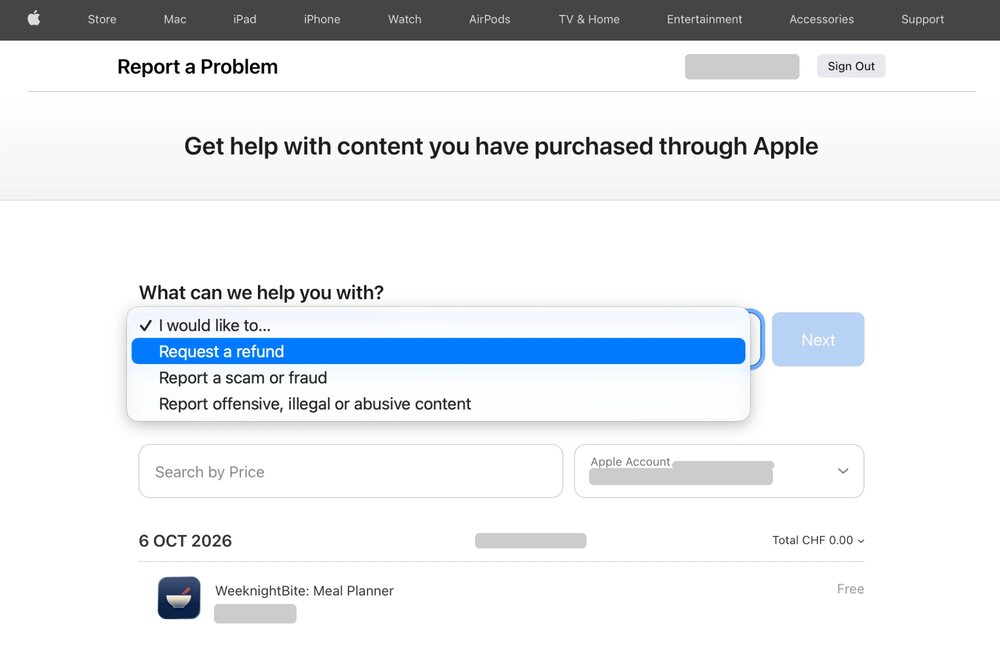
Purchases through the App Store are handled by Apple, so WeeknightBite can’t refund them directly. Request a refund at reportaproblem.apple.com.
- Sign in with the Apple Account you paid with.
- Under What can we help you with?, open I would like to… and choose Request a refund.
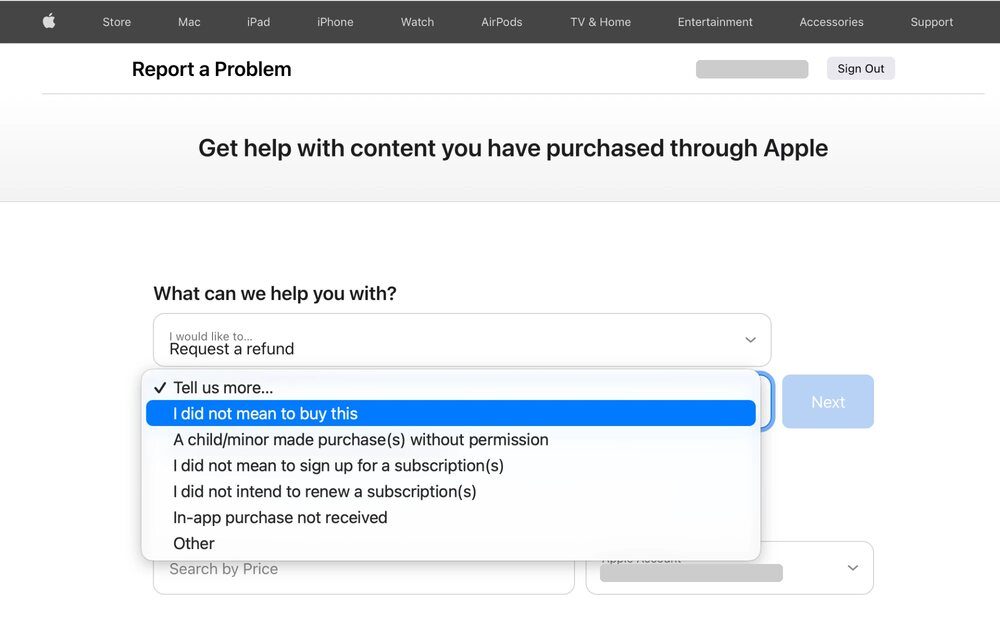
- Choose the reason that fits, such as I did not mean to buy this.
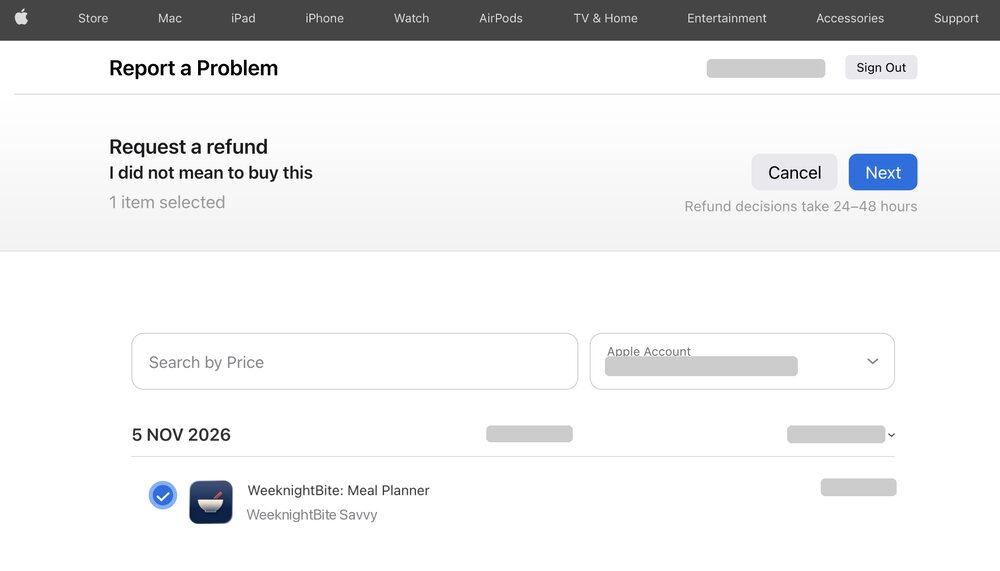
- Select the WeeknightBite purchase in your list, then tap Next.
- Tap Submit.
On iPhone
On iPhone
On iPhone
On iPhone
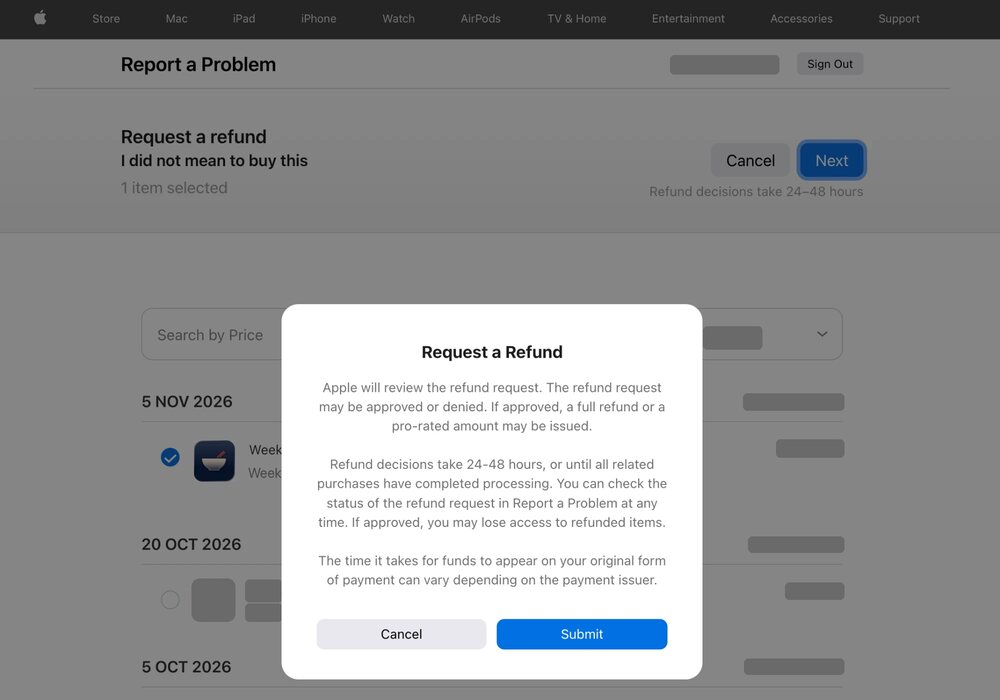
Apple reviews the request and decides: it can be approved or denied. Apple’s own screen says decisions take 24–48 hours.
On Android
Email us at hello@weeknightbiteapp.com and say you’d like a refund.
To find your purchase quickly, include:
- The email address of the Google account you paid with.
- The order number from your Google Play receipt email. It starts with GPA.
Stop it renewing
To stop future payments, cancel the subscription as well: see Free trial and cancelling Savvy.
A charge you don’t recognise, or a question about your subscription? Email hello@weeknightbiteapp.com.
Write to us at hello@weeknightbiteapp.com. We read and answer every email. Tell us which phone you use and what you tapped, and a screenshot helps.
Tell us what you were trying to do and what happened. We read every message.