
Every recipe you import is a recipe straight away. WeeknightBite matches each ingredient line to its shopping list as it saves the recipe. The lines it’s sure of are understood; the rest stay as written, exactly as the source wrote them. A Smart Recipe is one where every line is understood.
What the difference is
- Every recipe can go on your meal plan by hand, and adds its ingredients to your shopping list.
- Understood ingredients scale to your household, add up across recipes and sort into aisles.
- Lines as written show in italics on the recipe and don’t scale. On the shopping list they sit under As written in your recipes, each with its recipe.
- A Smart Recipe scales every ingredient. WeeknightBite can plan it for you, and it counts for your eating preferences. A recipe with a line as written is never planned for you and makes no diet or allergy claim: an unread “shrimp” line must never pass as shellfish-free.
Finish a recipe
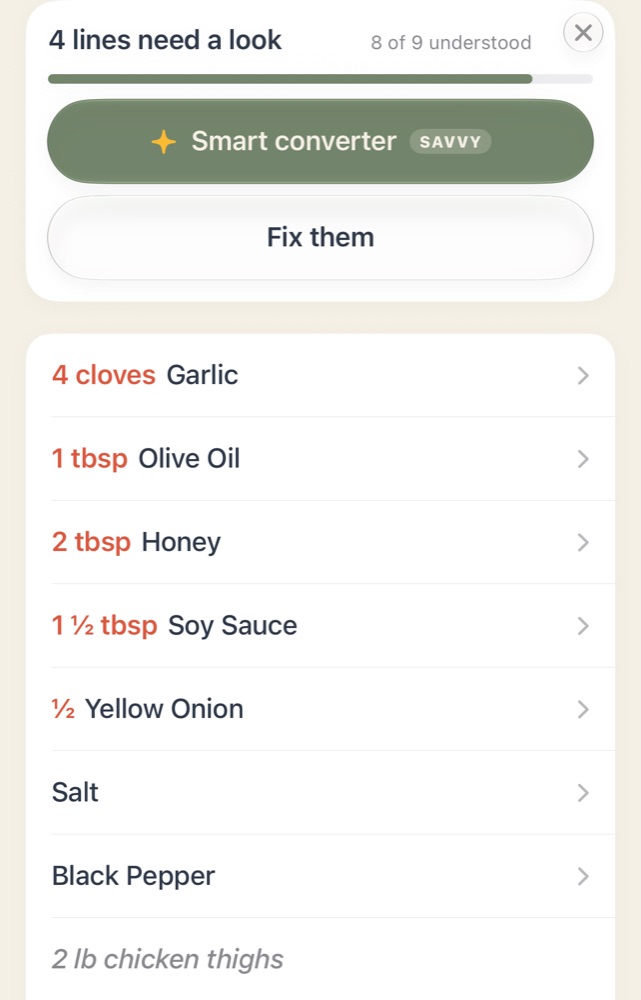
A recipe with lines as written shows a card at the top of its Ingredients tab, such as 4 lines need a look, with how many are understood.
On iPhone
On Android
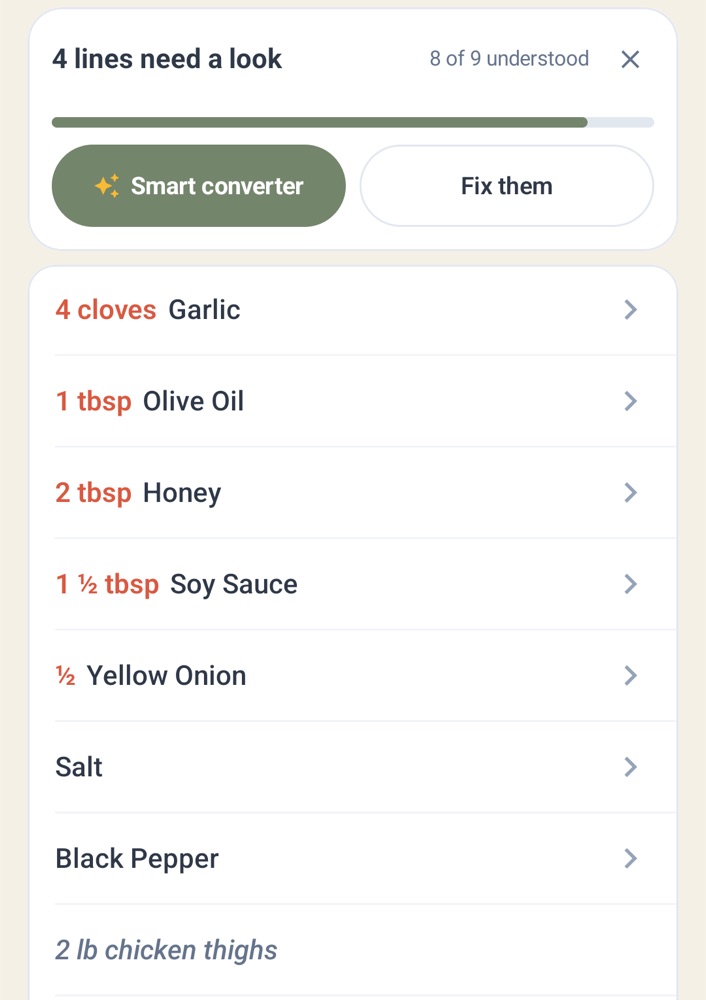
- Smart converter matches every line for you and adds the Dish Saver and Prep-ahead versions and timers. It’s part of WeeknightBite Savvy; without it, the button shows the Savvy plans.
- Fix them opens the recipe’s lines so you can match them yourself, free (see Fix an imported recipe).
- The ✕ hides the card for a while. It comes back while lines are left.
Smart Recipes from the Smart converter are part of WeeknightBite Savvy, and a free trial includes them. Fixing lines yourself is free.
Write to us at hello@weeknightbiteapp.com. We read and answer every email. Tell us which phone you use and what you tapped, and a screenshot helps.
Tell us what you were trying to do and what happened. We read every message.