
If you joined our waitlist or rescued your Mealime recipes with us, your email has a Claim my recipes button. It brings your recipes into the app and offers 50% off your first year of WeeknightBite Savvy.
Claim it
- Install WeeknightBite on your phone.
- On the same phone, open the email and tap Claim my recipes.
- WeeknightBite opens. Finish the welcome steps if it’s your first time, then tap Claim 50% Off (Sign Up to Claim 50% if you haven’t made an account yet).
On iPhone
Asked for a code?
The screen asking for a code is Apple’s own. When you tap Claim 50% Off, WeeknightBite copies your code for you, so paste it into Apple’s screen. If you closed it, you can redeem the code later:
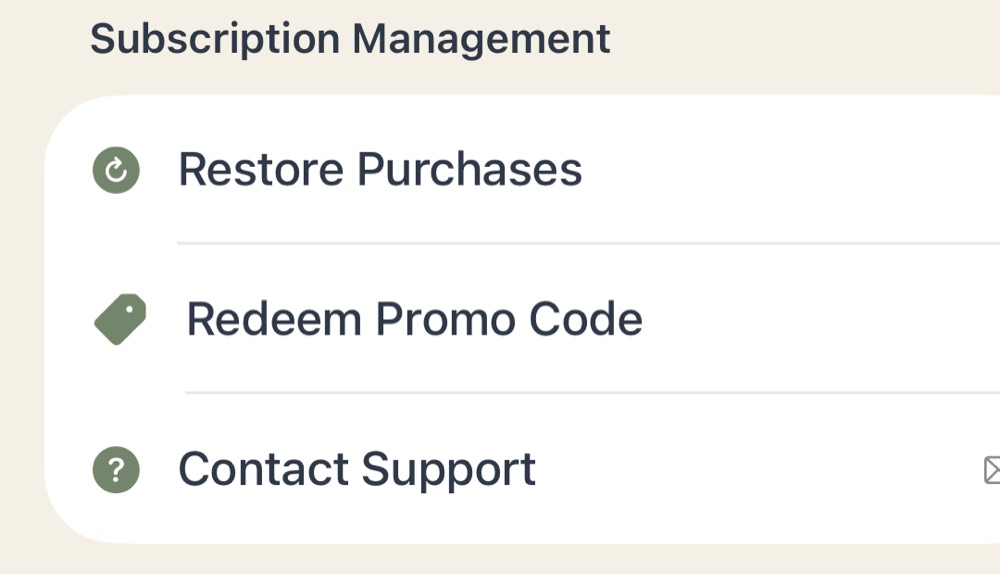
- Tap Settings, then WeeknightBite Savvy.
- Tap Redeem Promo Code and paste your code.
On iPhone
Using Chrome on your iPhone?
The claim button doesn’t work from Chrome on iPhone. Press and hold Claim my recipes in the email, choose Copy Link, paste it into Safari’s address bar and open it.
On Android
No code needed
On Android, Claim 50% Off goes straight to Google Play with the discount already applied: the yearly plan with a free trial first, then 50% off your first year.
Not ready yet? Claim it later from Settings → WeeknightBite Savvy, where Claim My 50% Discount waits on the phone you opened the email on.
Can’t find the discount, or it doesn’t show? Email hello@weeknightbiteapp.com from the address you signed up with, and we’ll sort it out.
Write to us at hello@weeknightbiteapp.com. We read and answer every email. Tell us which phone you use and what you tapped, and a screenshot helps.
Tell us what you were trying to do and what happened. We read every message.