
Comparison
The best meal planning apps for families in 2026, compared honestly

Short answer
The best meal planning app for a family is one the whole household can share: one plan and one grocery list on everyone's phone, at one price for the family. Cozi and AnyList are strongest for shared lists and calendars, Plan to Eat for planning your own recipes, and eMeals and WeeknightBite for having the dinners chosen for you.
A meal planning app for one person and one for a family are different products. This comparison is about households; for anyone choosing for themselves, the best meal planning apps compares the same field on price, free plans and recipes. For a family, the hard part is rarely the recipe. It’s that one person plans, another shops, a third asks what’s for dinner at 5:30, and the list lives in someone’s head. We make WeeknightBite, one of the apps below, so take this with that in mind. Every fact about another app comes from its own pages, linked at the end and checked on October 22, 2026, and we say where each one does better than ours.
What makes a meal planning app good for families?
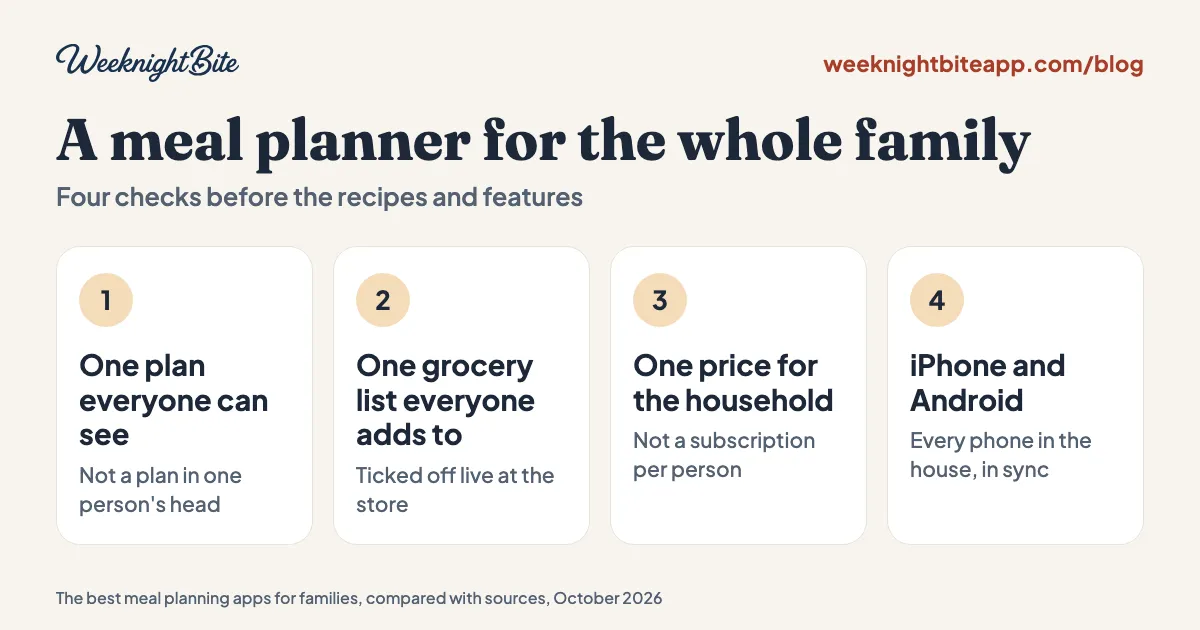
Four things, in this order: everyone in the household can see the same plan, everyone can add to the same grocery list, one price covers the whole family, and it works on every phone in the house, iPhone and Android alike. Recipes and features come after that, because an app only one person can open puts the whole job back on that person.
Then two family-specific questions:
- Does it hand you dinners, or do you bring them? Some apps come with recipes; others are a box for recipes you collect. We explain the difference in meal planning apps that come with recipes.
- Can it handle what your family won’t eat? Look for dietary preferences and dealbreakers you set once, rather than scrolling past the same disliked dishes every week.
The best meal planning apps for families, side by side
| App | Shared plan and list | Price for the whole household (US) | Recipes included | Phones and web |
|---|---|---|---|---|
| Cozi | Yes, one account for the whole family | Free with ads; Gold $39 a year; one upgrade covers everyone | Recipe box for your own, plus partner recipes | iPhone, Android, web |
| AnyList | Yes, shared lists, recipes and meal plan | Free; Complete $14.99 a year for a household | No, you bring your own | iPhone, Android, web, Mac |
| Plan to Eat | Yes, one account for the family on any number of devices | $49 a year on the web, $54.99 a year in the iPhone app | No, you bring your own | iPhone, Android, web |
| eMeals | Not confirmed on its pages | $59.99 a year | Yes, 25,000+ recipes in weekly plans | iPhone, Android, web |
| Samsung Food | Shared grocery lists | Free; Food+ $59.99 a year | Yes, a large public library | iPhone, Android, web |
| Paprika | Family accounts, with Premium | Free; Premium about $14.99 a year, or $74.99 once for five years | No, you bring your own | iPhone, iPad, Android, Mac, Windows |
| Meals Hub | Not confirmed | Free, inside Albertsons Companies store apps | Yes, Mealime’s recipes and more | Store apps and websites |
| WeeknightBite | Yes, the household shares the plan, recipes and list for free | Free; one Savvy subscription ($59.99 a year) covers everyone | Yes, 300+, each cooked and tested by a person | iPhone, iPad, Android |
Ollie now works over text messages rather than as an app: its own site describes a family group chat that suggests meals, from free (50 messages a month) to $25 a month.
Cookroom, the new meal planner from Mealime’s original founders, describes itself as a planner “for your family, even when everyone eats different things at different times.” As of November 10, 2026 it is a waitlist with no launch date, price or platforms announced; here’s what we know about Cookroom.
If your family cooks from a recipe site such as Weelicious, which posts free weekly meal plans but has no app or grocery list, our Weelicious alternatives compares the sites and apps that add one.
Which app suits which family?
Each app below gets one line on what it does for a household: who can share it, and what the family pays. The full review of each one, with screenshots, what it does well and where it falls short, is in the best meal planning apps.
- Cozi, if the family calendar runs your week. Dinners sit on the same shared calendar as practices and appointments, one account covers the whole family, and one $39 Gold upgrade covers everyone. The free version has ads, and its Max tier adds an AI meal planner.
- AnyList, if the shared shopping list matters most. Changes show up on everyone’s phone as they happen, and the household plan is $14.99 a year, the cheapest family subscription here. You bring your own recipes.
- Plan to Eat, if you already have the family’s recipes. One account covers the family on as many devices as you like, on the web as well as phones. No recipes included and no free plan after the trial.
- eMeals, if you want the week chosen for you from a large menu. $59.99 a year with no free tier, and its pages do not confirm whether a household can share one plan.
- Samsung Food, if you want a big free library. Its pages confirm shared grocery lists, not a shared meal plan.
- Paprika, if you want a recipe box with a free version. Inviting family members to your account needs Premium, as do unlimited recipes and syncing between devices.
- Meals Hub, if you shop at an Albertsons Companies store. Free, inside the store’s app; household sharing is not confirmed. What Meals Hub is and how to open it.
- WeeknightBite, if you want the dinners chosen and one list for the household, free. The household shares the plan, the recipes and the grocery list at no cost, on iPhone and Android. No web app, no family calendar, and a far smaller library than eMeals or Samsung Food.
Which family planning calendars combine a grocery list, recipes and a weekly meal plan?
Four apps here put a week-by-week meal plan, recipes and a grocery list in one place the family shares: Cozi, AnyList, Plan to Eat and WeeknightBite. They differ in what sits at the center.
| App | Built around | Week-by-week meal plan | Recipes | Grocery list |
|---|---|---|---|---|
| Cozi | The whole family’s calendar | Dinners go on the same calendar as everything else | A recipe library, plus your own | Shared lists; a recipe’s ingredients can be added to one |
| AnyList | The shared grocery list | A meal-plan calendar that can sync with Google Calendar | Your own | Generated from the plan and shared live |
| Plan to Eat | A meal-planning calendar | Your recipes, planned by date | Your own | Built from what you planned |
| WeeknightBite | The week’s dinners, read against the calendar you already use | Pick the week’s dinners, or take a whole Suggested Week; busy nights are flagged from your calendar | 250+ included, each cooked and tested by a person | One list with quantities added up, shared by the household |
- You want to keep the family calendar you already use, and have dinner fit around it: WeeknightBite. Its Chaos Calendar reads the calendars on your phone, rates each planned night Calm, Moderate or Packed, and offers quicker dinners to swap in on the busy ones. The dinners, the recipes and one grocery list are shared by the household. Chaos Calendar is part of the paid Savvy plan; the plan, recipes and list are free.
- You want one new calendar for the family’s whole life, with dinner on it: Cozi, the only one of the four that is itself a general family calendar.
- You already have your recipes and want them on a calendar: Plan to Eat, or AnyList if the shared list matters more than the plan.
How did we compare these apps?
From each app’s own pages: its website, pricing page and store listings, linked at the end and checked on October 22, 2026. We compared the four things a household needs first (a shared plan, a shared list, one price for the family, both kinds of phone), then whether recipes are included. We did not use every app for weeks with a family, so this is a comparison of what each app says it does and costs, not a hands-on review. Where a vendor’s pages did not answer a question, the table says “not confirmed”.
How does WeeknightBite work for a household?
The household shares one plan, one grocery list and the recipes, free, on iPhone, iPad and Android, and an iPhone and an Android phone see the same list. When someone ticks off an item at the store, it shows up on every phone as it happens. Partners, roommates and kids join with a link.
The planning is the part we built for busy families:
- Dinners are included. 300+ weeknight recipes, each cooked and tested by a person before it goes in the app. Pick the ones you want, or choose a whole Suggested Week. You can browse a selection on the web.
- One grocery list. Quantities are added up across the week’s recipes and sorted by aisle, with “already have” ticks for what’s in the pantry. Here’s how that works.
- Two ways to cook every recipe. Fastest, or Dish Saver for the fewest pans to wash, and hands-free cooking for messy hands.
- Family dinners from the catalog, for example cheesy broccoli chicken skillet (24 minutes) and mild beef taco bowls (25 minutes).
The free tier covers the recipe library (apart from the Signature dinners), the plan, the grocery list and household sharing. The paid plan, Savvy, is $7.99 a month or $59.99 a year in the US with a 14-day free trial, and one subscription unlocks it for the whole household: smart recipe import, Chaos Calendar for your busy nights, and the Signature dinners.
Where others do better: WeeknightBite has no web app and no family calendar, which Cozi does well; AnyList’s household plan is cheaper; and eMeals and Samsung Food have far bigger recipe libraries.
How do I get my family to actually use it?
Make the plan visible, not a question. Plan the week yourself, share it, and ask each person to pick one dinner or add one thing to the list. If a partner won’t plan with you, our guide to meal planning when your partner won’t help has the approach that works: closed choices, a shared list, and one small job each.
A standing go-to meals list of 15 to 20 dinners everyone already likes also makes the weekly pick fast, whatever app you use.
Frequently asked questions
What is the best free meal planning app for families?
Cozi and AnyList have free tiers with a shared list, and WeeknightBite’s free tier includes recipes (all but the Signature dinners), the weekly plan, the grocery list and household sharing. Samsung Food is free with shared grocery lists, and Meals Hub is free inside Albertsons Companies store apps.
Can my partner and I share one meal plan?
Yes, in most of these apps. Cozi, AnyList, Plan to Eat and WeeknightBite let a household share one plan and list; check whether the paid features need a separate subscription per person before you buy.
Do meal planning apps work on both iPhone and Android?
Most of the apps here do, and they sync between the two. Paprika syncs between devices only with its Premium plan, and Meals Hub lives inside grocery store apps rather than an app of its own.
How much does a family meal planning app cost?
From free to about $60 a year for most of them. AnyList’s household plan is $14.99 a year, Paprika Premium about $14.99, Cozi Gold $39, Plan to Eat $49 on the web, and eMeals, Samsung Food+ and WeeknightBite Savvy $59.99 a year in the US.
What happened to Mealime?
Mealime closed on October 21, 2026, and recommends Meals Hub inside Albertsons Companies store apps. Its original founders are building a new planner, Cookroom, which has no launch date yet. Our Mealime alternatives comparison covers what to switch to now.
Sources, checked October 22, 2026: Cozi and its plan comparison, AnyList, Plan to Eat pricing and its App Store listing, Plan to Eat’s help on combining items, eMeals, Samsung Food+ and its App Store listing, Paprika on the App Store and Google Play, Mealime’s closing page on Meals Hub, Cookroom and Ollie pricing. Paprika’s details were re-checked on November 10, 2026, from its news of Paprika 4 and Premium page: it changed how it is sold on November 6. Vendors change prices and features, so check before you buy.