
Quick answer
Meals Hub works, but it's not for every Mealime user

Short answer
Meals Hub is Mealime's official replacement, built into Albertsons Companies store apps, and Mealime says it works even without shopping at one of those stores. Plenty of Mealime users have tried it anyway and are still looking elsewhere: on Reddit, the complaints are less about availability and more about a cluttered app tied to one grocery chain they do not use.
If you already opened Meals Hub and are wondering whether to bother, you are not the only one. Plenty of Mealime users try it, poke around for a few minutes, and go looking for something else the same week, even though nothing is technically stopping them from using it.
Update, October 20, 2026: On October 19, 2026, Mealime’s original founders, Jeffrey and Maria Bunn, announced Cookroom, a new meal planner for families whose members eat different things at different times. As of October 20, its website (cookroom.app) is a waitlist that says “launching soon”: no date, price or platforms, and no app yet. Meals Hub is still what Mealime recommends, and it works today. Mealime closed on October 21; its recipe pages are still online, and WeeknightBite can import them from their links, and your household can share them for free.
What is Meals Hub?
Meals Hub is the free recipe and meal-planning section inside Albertsons Companies grocery apps and websites. It is not an app of its own, so there is nothing called “Meals Hub” to download from the App Store or Google Play. Mealime’s closing page describes it as carrying every Mealime recipe plus thousands more, run by the same team, with meal plans and shopping lists built in.
How do I get the Meals Hub app?
Download the app of any Albertsons Companies grocery store, then open Meals Hub inside it. Mealime’s closing page gives the steps:
- Install a store app. Mealime’s own download link lists the stores it works with. As of November 10, 2026, that covers Albertsons, Safeway, Vons, Jewel-Osco, Shaw’s, Acme, Tom Thumb, Randalls, United Supermarkets, Pavilions, Star Market, Haggen and Carrs, all of them Albertsons Companies banners.
- Create an account or sign in. It is a store account, not your old Mealime login.
- Tap “More” in the bottom right corner of the app.
- Tap “Meals Hub.”
There is a web version too: Mealime says Meals Hub is available through the stores’ websites, where you select your local store first.
If none of those stores is near you, pick any of them. The next section explains why that still works.
Do I need to shop at an Albertsons store to use Meals Hub?
No. Mealime’s closing page says directly: “Meals Hub can still work for you. You can still browse recipes, create meal plans, and generate shopping lists from Meals Hub, even if you’re unable to shop at an Albertsons Cos. store.” We checked this on September 22, 2026, and it still says the same thing.
So availability is not the real reason people skip it. Meals Hub lives inside Albertsons Companies store apps (Safeway, Vons and Jewel-Osco are among them), and you can use those features without ever placing an order there.
So why are people looking past it anyway?
Because using it is not the same as wanting to. Meals Hub carries Mealime’s own recipes and Mealime says it is free, including everything that used to sit behind Mealime Pro. What it does not carry over is the app itself: it is not a standalone meal planner, it is a feature inside a grocery retailer’s app, and Mealime says you will find it by tapping “More,” then “Meals Hub,” rather than opening straight to it.
That framing is the sticking point for a lot of former Mealime users, based on what they say on Reddit. The complaints are not about the recipes. They are about starting over inside an app built for a different job: setting dietary preferences up again, a smaller set of serving sizes, and no dedicated calendar view in some places, according to Plan to Eat’s review of Meals Hub (a competitor’s take, so worth trying yourself). If the reason you used Mealime was that it felt like your own app rather than a store’s, that feeling does not travel to Meals Hub.
What are Mealime users choosing instead?
Some are staying with Meals Hub, because they already shop at one of those stores and free is free. The rest are splitting between apps that hand you recipes and build the grocery list, and apps for organizing recipes you bring yourself. We compare 12 of them, with prices and sources, in the best Mealime alternatives.
If you want a grocery list with plain quantities instead of store products, here is how a meal planning app with a grocery list works.
If you have not saved your Mealime recipes yet, do that first regardless of where you land: Mealime closed on October 21 and you can no longer sign in, but its recipe pages are still online. Our guide to the shutdown and how to save what you actually cook both cover it.
Frequently asked questions
Who owns Mealime?
Albertsons Companies, the grocery company behind Safeway, Vons and Jewel-Osco. Mealime says Albertsons has owned it since 2021, and Meals Hub is Albertsons’ own recipe and meal-planning feature, which is why it is the replacement Mealime points to.
Is Meals Hub really free?
Yes, according to Mealime’s closing page, including the recipes that used to require Mealime Pro. It also says new recipe content and themes are added regularly.
Do my Mealime settings carry over to Meals Hub automatically?
No. Mealime’s FAQ says certain preferences and settings need to be set up again directly inside Meals Hub after you sign in to an Albertsons Companies store app.
Is Meals Hub a separate app I need to download?
No. It is a feature inside the Albertsons Companies store apps (Safeway, Vons, Jewel-Osco and others), reached by tapping “More” and then “Meals Hub.” There is also a web version through Albertsons store websites.
If I skip Meals Hub, where should I go instead?
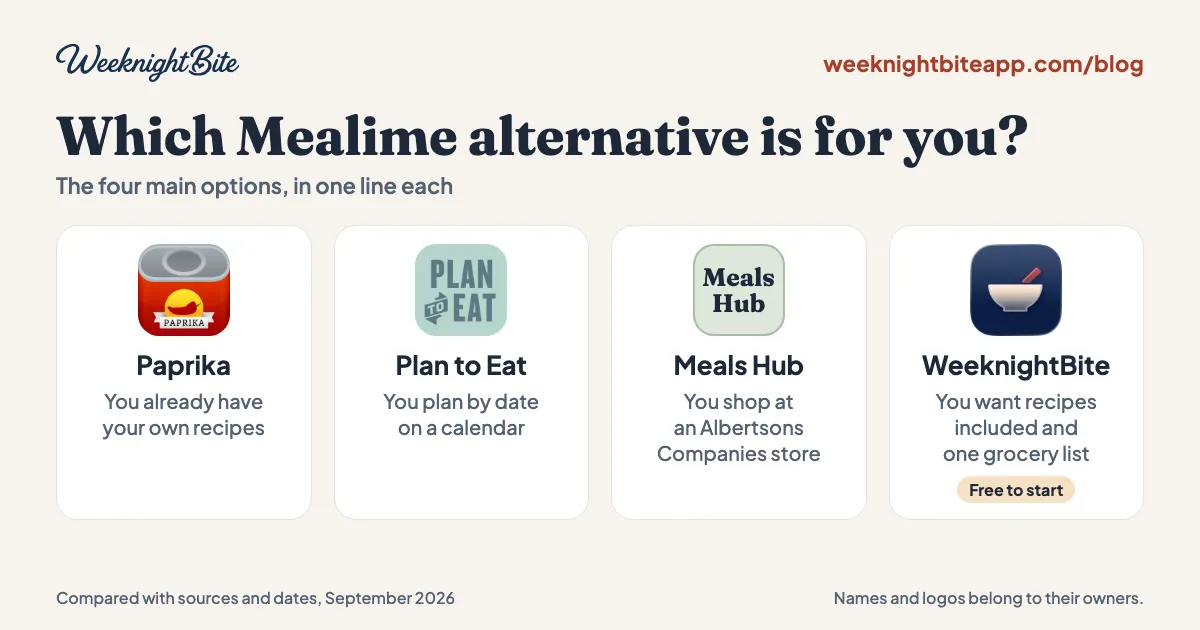
It depends on what you want. The best Mealime alternatives walks through recipe-included apps like WeeknightBite against bring-your-own-recipes apps like Paprika and Plan to Eat, with the same sourcing we use here.